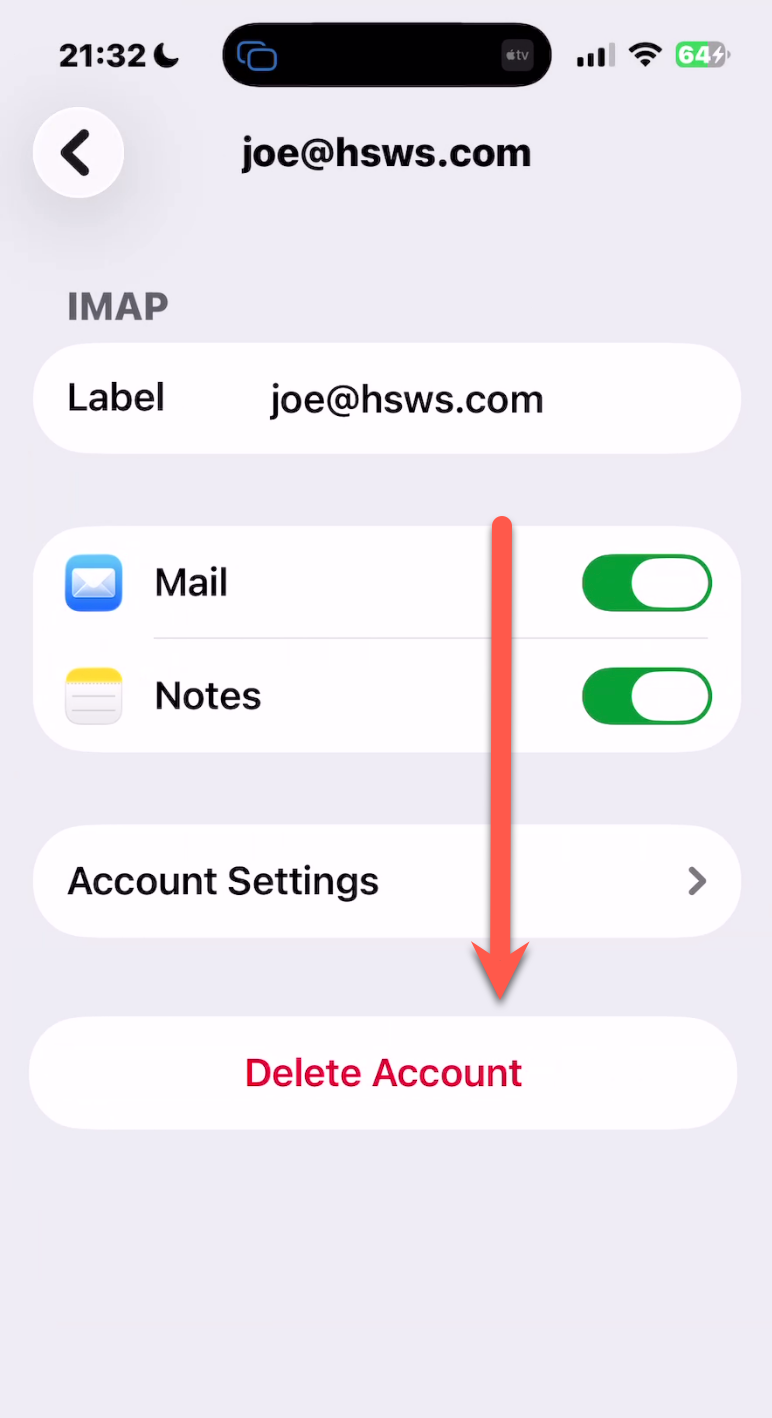
You are reading this tutorial because you wish to delete an email account from your iPhone.
Step 1
You need to go to General > Settings on your phone.
Step 2
Search in the search bar "Mail" and Click on "Mail Accounts"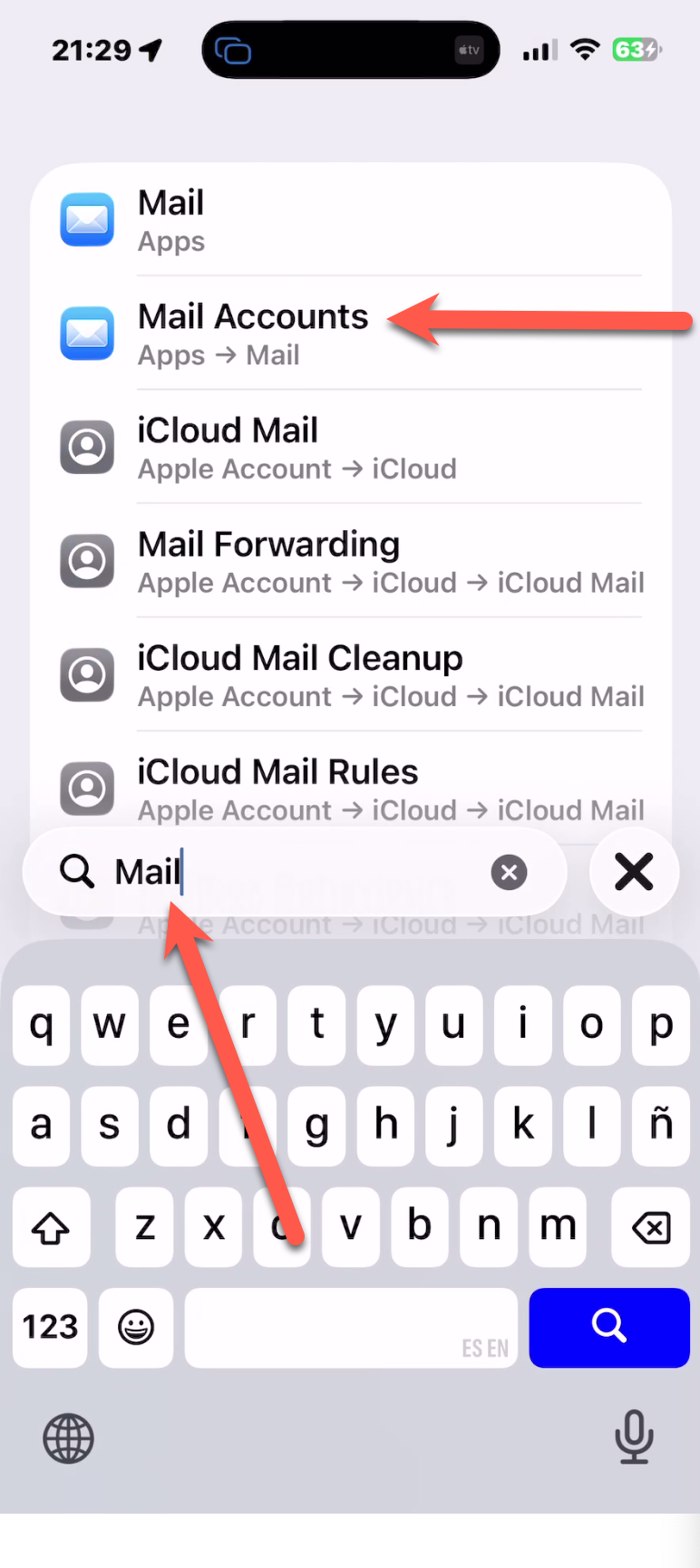
Step 3
Click on the account you want to delete.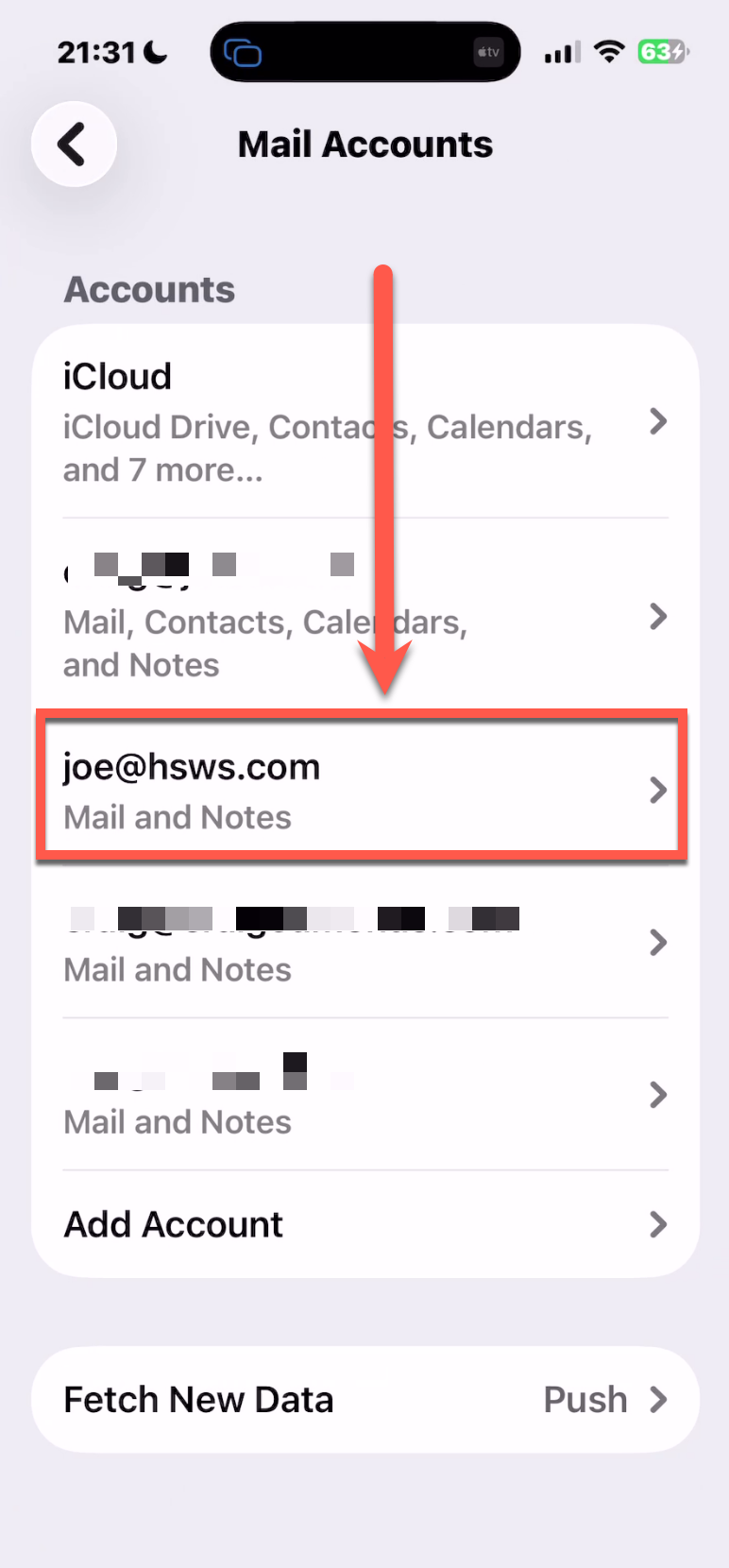
Step 4
There you will see a "Delete Account" button. Click it and the account will be deleted.
If you DO NOT see a delete button and you see something like...
"These settings are installed by the profile...."
Then you need to delete the account in a different way.
Click here to view that method.